
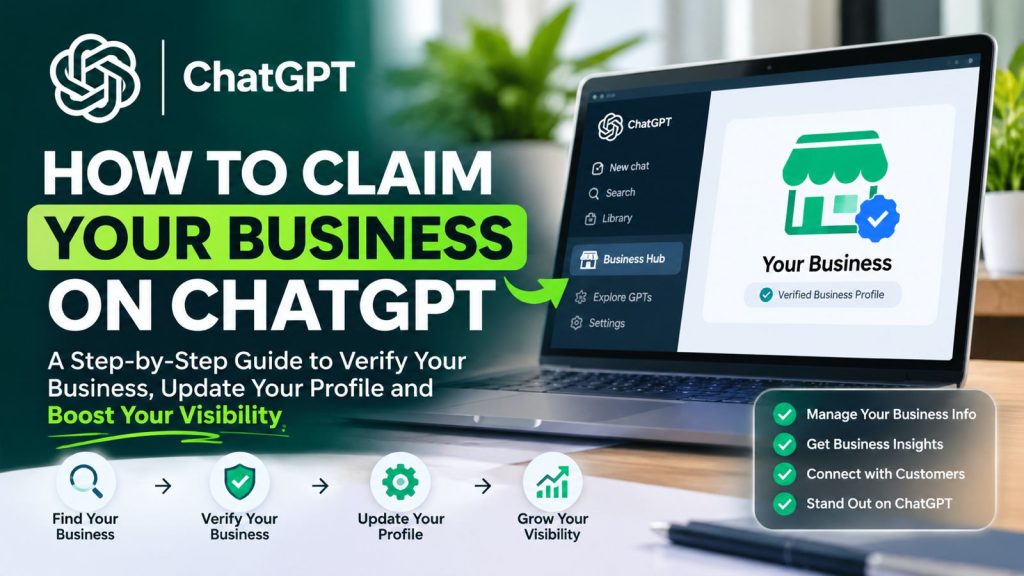
How to claim Business on ChatGPT is becoming an important question for business owners looking to increase their online visibility, reach more potential customers, and ensure their businesses are accurately represented when people use artificial intelligence to search for products and services.
With OpenAI introducing its new Businesses in ChatGPT feature in November 2026, companies now have an opportunity to claim their business profiles, verify ownership, update business information, and gain insights into how customers discover them through ChatGPT.
This development introduces a new opportunity for businesses to strengthen their digital presence beyond traditional search engines such as Google and Bing.
In this guide, we explain what claiming a business on ChatGPT means, why it matters, who is eligible, and the exact steps you need to follow to claim and verify your business.
1. What Does It Mean to Claim Your Business on ChatGPT?
Claiming your business on ChatGPT means establishing ownership or authorized management of your business profile within the ChatGPT platform.
OpenAI’s new Businesses in ChatGPT feature allows eligible business owners to take greater control of the information associated with their companies.
Once you successfully claim and verify your business, you can manage important details such as:
- Business name and description.
- Website address and contact information.
- Business category and services.
- Company logo and cover photo.
- Product information and availability, where supported.
- Delivery and return policies, where applicable.
You can also access business insights to understand how frequently your business is mentioned and how users interact with your business information.
A successfully verified business profile receives a blue verification check, helping users distinguish claimed business profiles from unclaimed ones.
It is important to understand that claiming your business does not automatically guarantee that ChatGPT will recommend your company in every relevant search. ChatGPT continues to make independent recommendations and comparisons.
2. Why Should You Claim Your Business on ChatGPT?
The way people discover businesses online is changing. Customers are increasingly using AI-powered platforms to research companies, compare services, identify suppliers, and find solutions to their problems.
For example, someone might ask ChatGPT:
- Which are the best web design companies in Kenya?
- Recommend a reliable accounting firm in Nairobi.
- Where can I purchase office furniture?
- Which companies offer professional digital marketing services?
ChatGPT can use available business information to help answer these questions.
Claiming your business gives you an opportunity to provide accurate information directly through OpenAI’s Business Hub.
Here are some of the benefits.
Improved business information management
You can update your company information and ensure that customers have access to accurate details about your products and services.
Better understanding of customer discovery
Business Hub provides aggregated insights into how people engage with your business through ChatGPT, including mentions and website clicks.
Greater control over your digital identity
You can manage important elements of your business profile, including your description, logo, website and other relevant information.
Opportunity to connect with customers through AI
Eligible businesses can also access Business Agents, which allow customers to interact with a business through an AI-powered conversational experience.
3. Requirements Before Claiming Your Business on ChatGPT
Before starting the process, make sure you have the necessary business information and access to your company’s verification channels.
You should prepare:
- Your official business name.
- Your business website.
- Access to your official business email address.
- Access to your registered business phone number.
- Access to your website domain’s DNS management, if you intend to verify through your domain.
- Business registration documents, where requested.
- A government-issued identification document for the additional identity verification process.
You must be the business owner or have authorization to represent the business.
Important: Not every business is currently eligible. Availability depends on your business location, industry, verification support and OpenAI’s eligibility requirements.
4. How to Claim Business on ChatGPT: Step-by-Step Process
Now that you understand the requirements, let’s go through the actual process of claiming your business.
Step 1: Access ChatGPT Business Hub
Start by visiting ChatGPT and signing in to your account.
Once logged in:
- Open the ChatGPT sidebar.
- Look for Business Hub.
- Open the Business Hub dashboard.
- Search for your business using its registered or commonly used business name.
You can also access the official platform here:
Business Hub is where eligible companies can claim their profiles and manage their business information.
Step 2: Search for Your Business Profile
After opening Business Hub, enter your company name in the search field.
ChatGPT will allow you to look for an existing business listing.
If your business appears in the search results:
- Select the correct business listing.
- Confirm that the business information matches your company.
- Select the ChatGPT account you want to use to manage the business.
- Proceed to the verification stage.
Make sure you select the correct business. Avoid claiming another company’s profile or creating duplicate listings.
What if your business does not appear?
OpenAI indicates that eligible online businesses may have an option to add their business.
However, local stores and restaurants currently have more limited availability and can only claim existing US listings. Therefore, businesses operating in countries such as Kenya should check their eligibility directly through Business Hub.
Step 3: Choose Your Business Verification Method
Once you select your business, ChatGPT will provide the available verification methods.
Depending on your business, you may be offered the following options:
Option A: Business Phone Verification
This method allows you to verify ownership using your official business telephone number.
The process involves:
- Select Business Phone.
- Choose SMS or an automated phone call.
- Request a verification code.
- Enter the code received.
- Follow the remaining instructions.
Make sure you have access to the telephone number displayed during verification.
Option B: Business Email Verification
You can also verify your business through an official company email address.
To complete this process:
- Select Business Email.
- Request a verification code.
- Open your business email inbox.
- Retrieve the verification code.
- Enter the code into the verification field.
Use an email address associated with your business rather than an unrelated personal email account.
Option C: Website Domain Verification
This is particularly useful for businesses that own and manage their websites.
During this process, ChatGPT will provide a DNS TXT record that you must add to your domain’s DNS settings.
The process involves:
- Select Website Domain as your verification method.
- Copy the TXT record provided by ChatGPT.
- Log in to your domain registrar or DNS management platform.
- Open your domain’s DNS settings.
- Add a new TXT record.
- Enter the record’s name or host and value exactly as provided.
- Save the DNS changes.
- Return to ChatGPT and follow the verification instructions.
For example, if your domain is example.com, you will need to add the TXT record to the DNS zone managing that domain.
Do not modify the verification value or replace it with a different record.
Allow time for DNS changes to propagate before retrying verification.
Option D: Shopify Verification
Businesses operating eligible Shopify stores can connect their stores directly through Shopify or Business Hub.
This integration allows eligible merchants to share their existing product catalogue, including pricing and availability.
The connection also provides a streamlined way to complete the business setup process.
Step 4: Complete Identity Verification Through Persona
Successfully completing the initial business claim is not the final stage.
OpenAI also requires an additional identity verification process through Persona before you can publish changes to your business profile, access business insights, connect product feeds or create an eligible Business Agent.
To complete this stage:
- Open your claimed business profile.
- Select the option to verify through Persona.
- Choose Continue to Persona.
- Follow the identity verification instructions.
- Submit the requested identification and business documentation.
- Wait for OpenAI to review your submission.
You may be asked to provide a government-issued ID, business registration information and proof that you are authorized to represent the business.
OpenAI will communicate its verification decision or request additional information where necessary.
Once approved, you can proceed with managing your business profile.
Step 5: Update Your Business Profile
After your claim and Persona verification have been approved, you can begin updating your business information.
This is an important stage because the information you provide helps customers understand what your business offers.
Consider updating the following:
Business description
Write a clear description explaining what your company does, the customers you serve and the solutions you provide.
Website
Add your official website address so that customers can visit your website to learn more about your company.
Business category
Select the category that best describes your products or services.
Company logo
Upload a clear and professional version of your business logo.
Products and services
Provide accurate information about the products and services your business offers.
Business policies
Where applicable, include relevant delivery, shipping and return policies.
Make sure all the information you provide is accurate and consistent with your official business information.
OpenAI reviews and publishes profile changes, and updates may take time to appear.
Step 6: Connect Your Product Catalogue (Optional)
If your company sells physical products online, you may also have the opportunity to connect a product feed.
A product feed allows you to share information such as:
- Product names.
- Product descriptions.
- Product images.
- Prices.
- Product availability.
- Product links.
Eligible Shopify merchants can connect their stores directly, while other eligible retailers can upload a CSV product feed following OpenAI’s product feed specifications.
This helps customers explore relevant product information when using ChatGPT.
However, connecting a product feed does not guarantee that ChatGPT will recommend your products.
Step 7: Monitor Your Business Performance
After completing the claiming and verification process, you can use Business Hub to understand how customers interact with your company through ChatGPT.
Available business insights include:
- How frequently your business is mentioned.
- Topics and conversation themes associated with your business.
- Website clicks originating from your ChatGPT business presence.
These insights can help you understand customer interests and identify opportunities to improve your business information.
5. Can Businesses in Kenya Claim Their Business on ChatGPT?
This is an important question for Kenyan entrepreneurs and companies.
OpenAI’s Businesses in ChatGPT programme is being introduced in beta, with eligibility depending on the business’s location, industry and available verification methods.
OpenAI states that eligible businesses located in countries where ChatGPT is available can claim their profiles, subject to the relevant requirements.
However, there is an important distinction for Kenyan businesses.
According to OpenAI’s current guidance, local stores and restaurants can only claim existing US listings. Eligible online businesses may have an option to add their business, depending on availability.
This means that a Kenyan business should not assume that it can automatically create a new local business listing.
The best approach is to:
- Sign in to ChatGPT.
- Open Business Hub.
- Search for your business.
- Check whether a listing is available.
- Review the verification methods offered.
- Follow the eligibility instructions provided by OpenAI.
You can read the official eligibility information here:
OpenAI: Setting Up Your Business on ChatGPT
6. How Can You Improve Your Business Visibility on ChatGPT?
Claiming your business is an important step, but it should not be the only activity in your digital marketing strategy.
You should also ensure that your website contains useful, accurate and well-organized information.
Here are some practical recommendations.
1. Maintain a professional business website
Your website should clearly explain your company, services, products, contact details and location.
2. Publish educational content
Create articles that answer questions your potential customers are likely to ask.
For example, a web development company could publish articles about website development costs, website maintenance and choosing a web hosting provider.
3. Allow OpenAI’s search crawler
OpenAI uses OAI-SearchBot to discover websites for ChatGPT Search.
Check your website’s robots.txt configuration to ensure you are not unintentionally blocking this crawler.
You can read the official technical documentation here:
OpenAI: Overview of OpenAI Crawlers
4. Keep your business information consistent
Your company name, website, telephone number, business description and address should be accurate across your website and other business directories.
5. Build a credible online presence
Publish useful information, maintain an active website and ensure that your business details are supported by reliable online sources.
Remember that ChatGPT makes independent decisions about which businesses to recommend. These activities improve the availability and quality of your business information but do not guarantee search placement.
7. Does Claiming Your Business on ChatGPT Guarantee Recommendations?
No.
Claiming your business does not guarantee that ChatGPT will recommend your company whenever someone searches for products or services in your industry.
The purpose of the claiming feature is to give eligible businesses greater control over their profiles, provide accurate information and access available business insights.
ChatGPT continues to make independent recommendations based on the user’s question and relevant available information.
Therefore, business owners should approach this as part of a broader digital visibility strategy rather than a guaranteed advertising or ranking opportunity.
8. What Is a Business Agent on ChatGPT?
Another interesting feature introduced alongside Businesses in ChatGPT is the Business Agent.
A Business Agent allows eligible businesses to create an AI-powered conversational experience through which customers can ask questions about their products, services and policies.
For example, an online store could use its Business Agent to help customers:
- Understand available products.
- Explore product information.
- Check relevant business policies.
- Find answers to common questions.
- Take the next step towards purchasing.
Business Agents are currently available to eligible ecommerce and online service businesses in the United States, with availability expected to expand over time.
It is important to note that claiming a business and publishing a Business Agent are separate activities. You do not need to publish an agent to claim your business.
Learn more through the official OpenAI Businesses in ChatGPT announcement.